

5 Proven Ways to Free Up Phone Storage and Boost Performance
Smartphone performance often degrades as internal storage reaches capacity, causing system lag and application instability. According to tech industry analysis from Harianjogja.com, users can restore device speed by clearing application caches, managing large messaging files, and utilizing cloud storage solutions to offload data without permanent loss.
Why Does Full Storage Slow Down Your Phone?
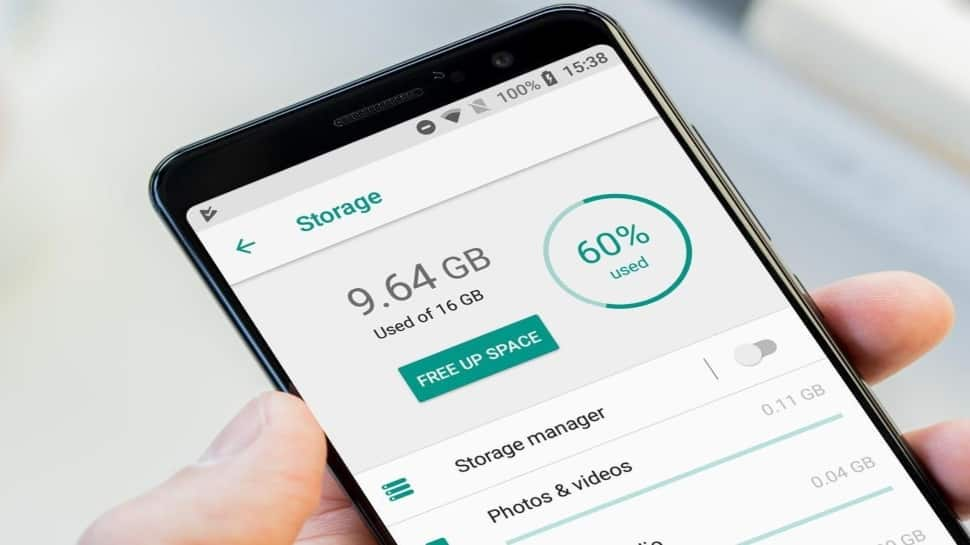
A smartphone’s operating system requires “breathing room” to function efficiently. When storage is nearly full, the system struggles to write temporary files, index data, and manage background processes. According to Harianjogja.com, this bottleneck results in apps crashing, slow interface responses, and an inability to capture new media. Modern operating systems, including Android and iOS, typically require at least 10% to 15% of total capacity to remain free for optimal read/write performance.
How to Clear Cache and Manage App Data
Cache files are temporary data packets designed to speed up app loading times, but they often accumulate to gigabytes in size. Android users can clear these via Settings > Apps by selecting the specific application and choosing “Clear Cache,” as reported by Harianjogja.com. For iPhone users, Apple’s iOS architecture does not permit manual cache clearing for all apps. Consequently, the most effective method for iOS is to delete and reinstall resource-heavy applications to force a fresh, slim installation.
Managing WhatsApp and Messaging Bloat
Messaging platforms are frequently the largest contributors to storage depletion due to automated media downloads. Harianjogja.com recommends navigating to the “Manage Storage” section within WhatsApp settings to identify and delete large video files and forwarded content. Disabling “Auto-Download” in the app’s media settings acts as a preventative measure, ensuring only essential media occupies your device’s memory.

Future Trends in Mobile Storage Management
The industry is moving toward automated, AI-driven storage optimization. While current manual methods remain the standard, future mobile operating systems are expected to feature more aggressive, background-managed “smart storage.” According to industry reports, tools like Google’s “Files by Google” are already setting a precedent by using machine learning to detect and suggest the removal of duplicate files, blurry photos, and unused apps. This shift aims to reduce the reliance on manual user intervention.
Did you know?
Frequent “cleaning” apps from third-party developers can often do more harm than good. Experts suggest sticking to built-in system tools, as third-party cleaners often run background processes that consume extra battery life and system resources.
:max_bytes(150000):strip_icc()/001_free-up-storage-on-iphone-4178432-e1048d2c41d747f58834cb1c1c8648cb.jpg "Did you know?")
Frequently Asked Questions
- How much free space should I keep on my phone? Ideally, keep at least 10% to 15% of your total storage free to ensure smooth system updates and app performance.
- Does deleting cache delete my personal data? No. Clearing the cache only removes temporary files created by apps; your login status, photos, and messages remain intact.
- Is cloud storage safer than local storage? Cloud services like Google Photos or iCloud provide redundancy, but they require a stable internet connection for access. Many experts recommend a “hybrid” approach: keeping recent files on the device and archiving older media in the cloud.
How do you manage your digital clutter? Share your favorite storage-saving tips in the comments below or explore more tech guides to keep your devices running at peak performance.