

AirPods and Electronics: Risks for Pacemaker and CID Users
Consumer electronics like AirPods and the iPhone 12 Pro Max can trigger “magnet mode” in cardiovascular implantable electronic devices (CIEDs), according to a 2022 study in Circulation: Arrhythmia and Electrophysiology. This interference potentially prevents the device from detecting tachycardia, leading the FDA and Apple to recommend a minimum safety distance of 6 inches (15 cm) between gadgets and implants.
Why do AirPods and smartphones interfere with pacemakers?
Small, powerful rare-earth magnets inside modern gadgets create magnetic fields that confuse CIEDs. According to the 2022 study published in Circulation: Arrhythmia and Electrophysiology, devices including AirPods, the iPhone 12 Pro Max, Apple Pencil, and Microsoft Surface Pen emit fields strong enough to disrupt these implants.
Most conventional pacemakers activate a “magnet mode” when they detect an induction magnetic field of 10 Gauss or more. While these magnets are tiny, their concentrated power is enough to trip this sensor. It’s a growing problem because rare-earth magnets are now standard in almost every portable electronic device.
What happens when a CIED enters magnet mode?
Magnet mode is a safety feature designed for clinical settings, such as during an MRI, to protect the patient. However, when triggered accidentally by a smartphone or earbud, the device may fail to detect tachycardia or other heart rhythm irregularities, according to the Circulation study.
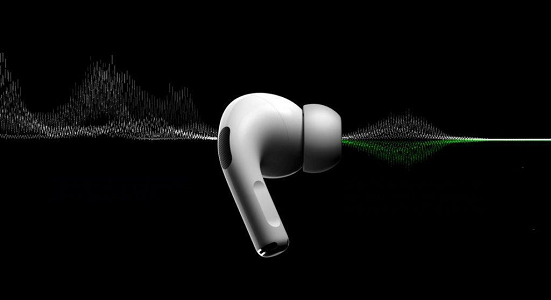
CIEDs usually return to normal operation once the magnetic field is removed. But even a temporary lapse in monitoring can be dangerous for patients relying on a defibrillator to stop a lethal arrhythmia. The risk isn’t just about the device turning off; it’s about the device “thinking” it’s in a controlled medical environment and ignoring critical heart signals.
How should CIED users handle their gadgets?
Apple’s official support documentation recommends that users maintain a distance of at least 6 inches (15 cm) between their cardiovascular implant and any Apple device. This distance creates a buffer that prevents the magnetic field from reaching the 10 Gauss threshold required to trigger magnet mode.
The U.S. Food and Drug Administration (FDA) provides more specific behavioral advice. The FDA suggests that CIED users avoid storing smartphones or AirPods in front shirt pockets. This habit places the magnet in direct proximity to the implant site, increasing the likelihood of accidental activation.
What are the warning signs of interference?
Patients should monitor their physical response when using new wearable tech. According to the FDA, symptoms such as dizziness or a sudden loss of consciousness are red flags. These symptoms may indicate that the CIED has entered magnet mode and failed to respond to a cardiac event.
Anyone experiencing these symptoms should consult a cardiologist immediately. The shift toward “wearable” technology—from smartwatches to health-tracking rings—means magnets are moving closer to the skin than ever before, requiring higher vigilance from patients.
Comparing Device Risks
| Device Type | Risk Factor | Recommended Action |
|---|---|---|
| AirPods / Earbuds | Strong magnets in casing/buds | Keep 6 inches from chest |
| Smartphones | Internal magnets (MagSafe, etc.) | Avoid front shirt pockets |
| Styluses (Apple/Microsoft) | Magnetic attachment points | Do not store against chest |
Frequently Asked Questions
Can I still use AirPods if I have a pacemaker?
Yes, but you must follow the 6-inch (15 cm) safety distance recommended by Apple and the FDA.
Is the iPhone 12 Pro Max the only risky phone?
No. While specifically named in the Circulation study, any device with rare-earth magnets can potentially interfere with CIEDs.
What is the “10 Gauss” rule?
It is the magnetic field strength threshold at which many conventional pacemakers switch to magnet mode.
Do you or a loved one use a CIED? Share your experience with wearable tech in the comments below, or subscribe to our newsletter for more health-tech safety updates.