
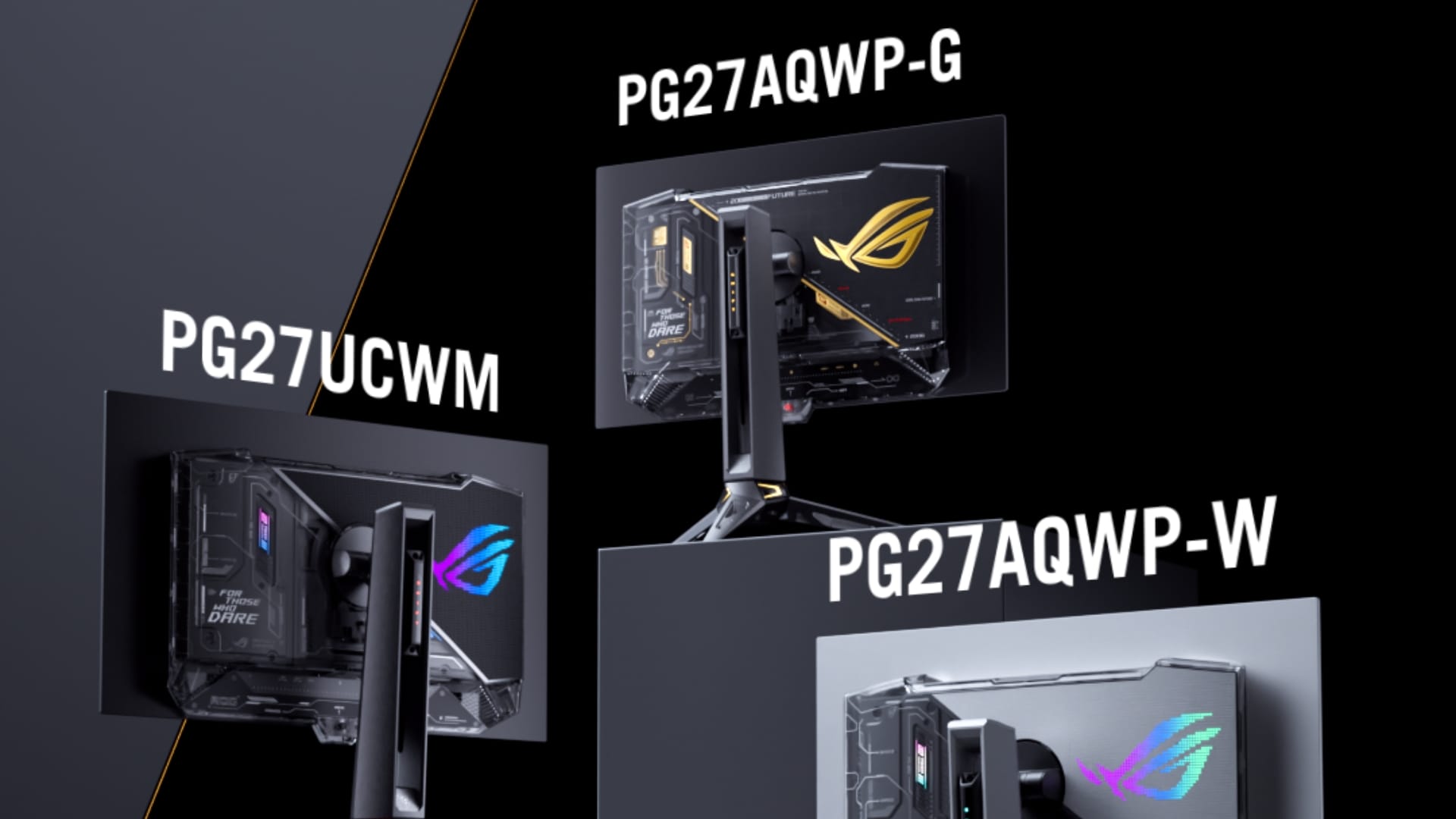
ASUS and ROG expand OLED and creator monitor lineup at COMPUTEX 2026
ROG’s OLED Breakthroughs in Gaming and Esports
ASUS ROG has redefined gaming displays with its latest OLED lineup, targeting both casual gamers and esports professionals. The ROG Strix OLED XG259QWPG Ace, dubbed the “world’s first OLED esports monitor,” boasts a 540Hz refresh rate and 0.02ms response time, making it ideal for fast-paced competitive play. This model leverages Tandem WOLED technology, offering 15% higher brightness and 25% larger color volume than previous generations.
RGB Stripe Pixel OLED: A Game-Changer for Visuals
The ROG Swift OLED PG32UCWM and PG27UCWM feature RGB Stripe Pixel OLED technology, which removes the white subpixel to expand color volume by 27%. This innovation is particularly appealing to gamers who demand vibrant, accurate visuals. With support for 4K at 240Hz or FHD at 480Hz, these monitors cater to both high-resolution gaming and ultra-smooth performance.
Did you know? OLED panels are 40% thinner than traditional LCDs, enabling slimmer designs without compromising on image quality.
ProArt QD-OLED Displays: Precision for Creatives
ASUS ProArt’s QD-OLED displays, like the PA32USD, are engineered for video editors and post-production professionals. With 1000-nit peak brightness, 99% DCI-P3 coverage, and factory-calibrated Delta E < 1 color accuracy, these monitors ensure every detail is rendered flawlessly. The inclusion of dual Thunderbolt 4 ports and 12G-SDI inputs makes them a powerhouse for professional workflows.
Why QD-OLED Matters for Content Creators
Quantum dot OLED (QD-OLED) technology combines the benefits of OLED’s deep blacks with quantum dots for enhanced color purity. Here’s critical for color grading and video editing, where even minor inaccuracies can impact the final product. ProArt’s partnership with industry-standard software like Adobe Premiere Pro further solidifies its appeal.
Pro Tip: Use the ProArt PA32USD’s wraparound hood in brightly lit environments to minimize reflections and maintain color accuracy.
Portable and Hybrid Work Solutions
ASUS is addressing the growing demand for mobility and hybrid work with the ZenScreen OLED MQ14FCKV and ZenScreen Duo MB14FCD. The 14-inch OLED monitor, weighing under 500 grams, is perfect for travelers, while the dual-screen Duo model offers a 20-inch workspace for productivity. Both support USB-C power delivery, making them ideal for laptop users.

Video Conferencing Monitors: Built for Collaboration
The BE34WCGNK and BE27ACGNK monitors integrate 5.0-megapixel webcams, Microsoft Teams controls, and Windows Hello for seamless hybrid work. With 99% sRGB coverage and TÜV Rheinland-certified blue light reduction, these displays balance performance and eye comfort during long meetings.
Future Trends Shaped by ASUS’ Innovations
ASUS’ latest displays signal a shift toward adaptive, multi-functional screens. OLED’s rise in gaming and professional markets suggests a future where displays cater to both performance and precision. The integration of AI features like ROG Gaming AI and the emphasis on portability reflect broader industry trends toward personalization and flexibility.
What’s Next for Display Technology?
Experts predict OLED adoption will grow by 20% annually through 2028, driven by advancements in lifespan and brightness. ASUS’ use of GaNFET in power supplies and Tandem WOLED panels could set new benchmarks for efficiency and durability. As remote work and gaming continue to evolve, displays will need to balance versatility with specialized features.
Frequently Asked Questions
What makes OLED better than traditional gaming monitors?
OLED panels offer perfect blacks, faster response times, and wider color gamuts. They also enable slimmer designs, making them ideal for both gaming and professional use.
Can ProArt displays replace high-end studio monitors?
While ProArt QD-OLED displays are highly accurate, they are designed for workflow efficiency rather than studio-grade calibration. For professional grading, dedicated studio monitors remain the gold standard.
Are these monitors compatible with my existing setup?
Most models include HDMI 2.1, DisplayPort 2.1, and USB-C ports. Check specific model details for compatibility with your PC or laptop.
Explore More
Ready to upgrade your setup? Discover how ASUS’ displays compare to competitors or subscribe to our newsletter