
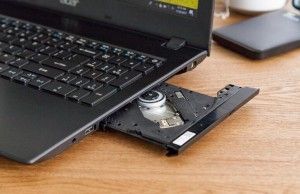
Best Laptops With CD/DVD Drives in 2025
The Death of the Optical Drive: Why Your Next Laptop Won’t Have One
If you have spent any time shopping for a new laptop lately, you have likely noticed a glaring omission: the CD/DVD drive. Once a staple of every portable computer, the optical drive has effectively vanished from the mainstream market. As we move further into an era defined by cloud storage and high-speed streaming, the built-in disc drive has become a relic of a bygone digital age.
But why did manufacturers abandon it so quickly? The answer lies in the relentless pursuit of portability. By removing the bulky drive, engineers were able to shrink chassis dimensions, increase battery capacity, and prioritize high-speed SSD storage. While this shift was necessary for the ultrathin laptops we love today, it has left millions of users—who still rely on physical media for medical records, legacy software, or archival storage—in a difficult position.
The Evolution of Physical Media Archiving
The transition away from internal optical drives is part of a broader trend: the “dematerialization” of data. According to industry data, global shipments of optical disc drives have plummeted by over 80% in the last decade. Most consumers have replaced their physical movie collections with platforms like Netflix or Disney+, and software distribution has shifted almost entirely to digital storefronts like Steam or the Mac App Store.
However, physical media remains the gold standard for long-term data preservation. Unlike cloud servers that can experience outages or subscription-based services that may remove content, a burned Blu-ray or DVD remains under your total control. For professionals handling sensitive data or archivists preserving family history, the “offline” nature of optical media is a feature, not a bug.
Future Trends: Is There a Comeback on the Horizon?
Could we see a resurgence of the optical drive? Unlikely in the consumer space. The industry is currently hyper-focused on modularity and connectivity. Instead of internal drives, we are seeing an explosion in high-speed USB-C peripherals. The future of data management isn’t found in a bulky internal bay, but in versatile, plug-and-play solutions.
We are also seeing a rise in “cold storage” solutions, such as high-capacity external SSDs and NAS (Network Attached Storage) devices. While these don’t replace the specific utility of a CD/DVD drive, they serve the same fundamental need: keeping your data safe, portable, and accessible without relying on a constant internet connection.
Did you know?
The first laptop to famously ditch the floppy drive was the Apple iMac G3 in 1998, a move that was heavily criticized at the time but eventually became the industry standard. The removal of the optical drive followed a similar path of initial resistance followed by total adoption.
Making the Switch: Why Modern Hardware Wins
If you are still clinging to a laptop with an internal drive, you are likely dealing with sluggish mechanical hard drives, poor battery life, and outdated processors. Upgrading to a modern ultrabook and pairing it with a slim, bus-powered external DVD drive provides several advantages:
- Increased Portability: Modern laptops often weigh less than 3 pounds, a luxury you lose with older, thicker disc-ready models.
- Superior Performance: Today’s NVMe SSDs are dozens of times faster than the hard drives found in legacy laptops with optical bays.
- Future-Proofing: A modern laptop will support current OS updates and security patches, whereas legacy machines are often left vulnerable.
Frequently Asked Questions
Can I add an internal CD drive to a new laptop?
Generally, no. Modern laptops are sealed units designed for thinness. There is no physical space or internal SATA interface available to install a traditional optical drive.
What is the best way to read old discs on a new computer?
Purchase a high-quality external USB-C or USB-A optical drive. These plug-and-play devices are compatible with Windows, macOS, and Linux, and they don’t require external power sources.
Are external DVD drives reliable?
Yes. Brands like ASUS, OWC, and LG produce reliable, budget-friendly external drives that are far more durable than the aging internal drives found in laptops from a decade ago.
Are you still using an older laptop specifically for its CD/DVD drive? We want to hear from you! Share your experiences or your favorite external drive recommendations in the comments below. If you found this guide helpful, consider subscribing to our newsletter for more tech insights and buying advice.