
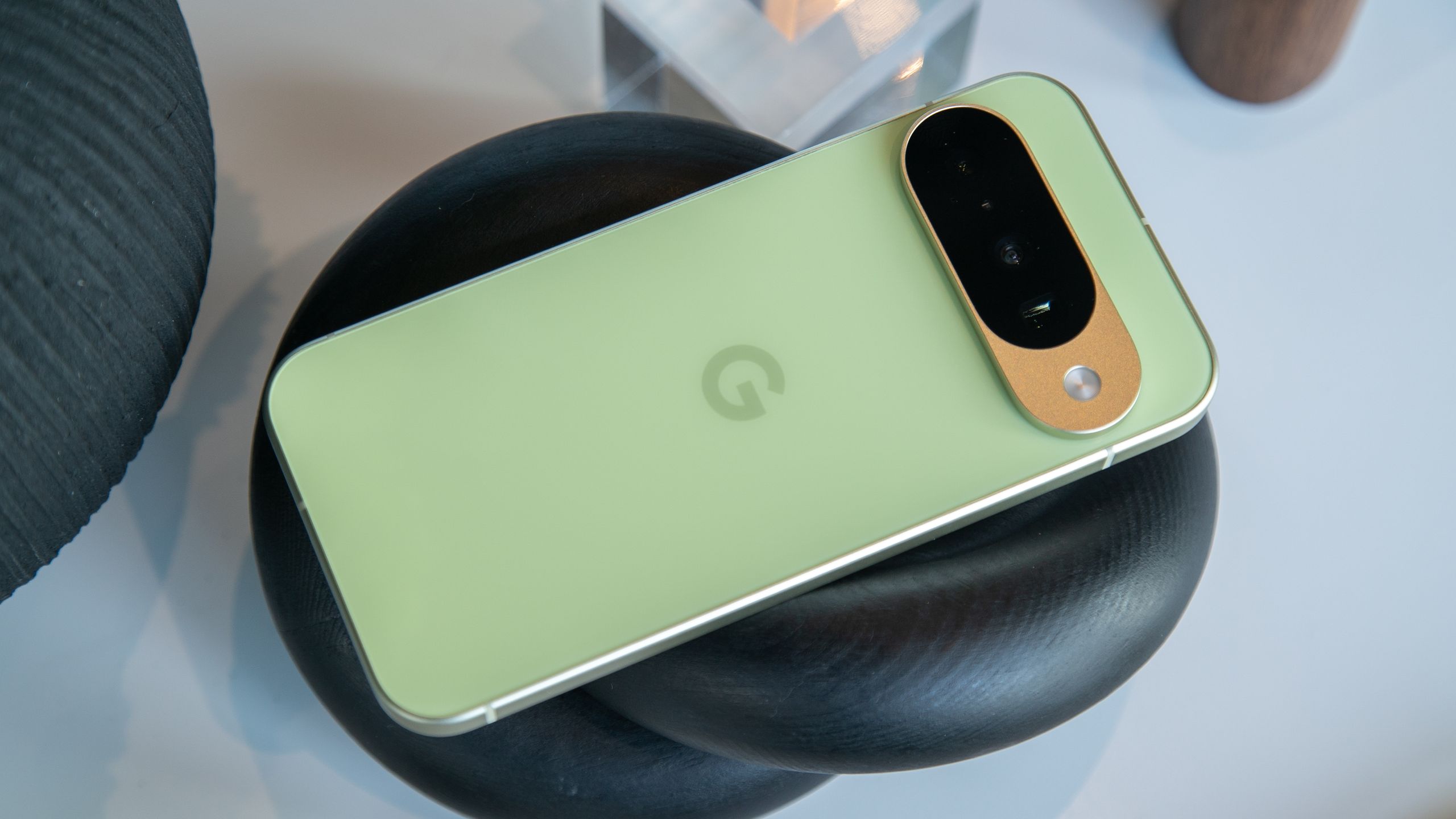
Google Pixel June Security Patch Fixes Display and Battery Issues
Google is deploying the June security patch (vCP2A.260605.012) for Pixel 6 and newer devices to fix Pixel 10 display flickering and recurring wireless charging failures. According to Android Central, this update arrives alongside the Android 17 launch and a feature-rich Pixel Drop to stabilize the new OS across the hardware lineup.
Why is Google prioritizing rapid-fire patching for the Pixel 10?
The June patch focuses heavily on “Display & Graphics” errors that have plagued the newest hardware. Specifically, Google is targeting a “white flickering dot” and general graphical errors on the Pixel 10 series, according to the company’s patch notes. This indicates a shift toward using software to calibrate hardware performance in real-time after devices hit the market.
This approach follows a pattern of iterative stability. Android Central reports that the Pixel 8 series, Pixel Fold, and Pixel Tablet are also receiving fixes for device freezes when connected to external displays. By bundling these fixes into a June Drop immediately following the Android 17 launch, Google is attempting to minimize the “early adopter” penalty for users.
How will the “Bubble Bar” and “Screen Reactions” change multitasking?
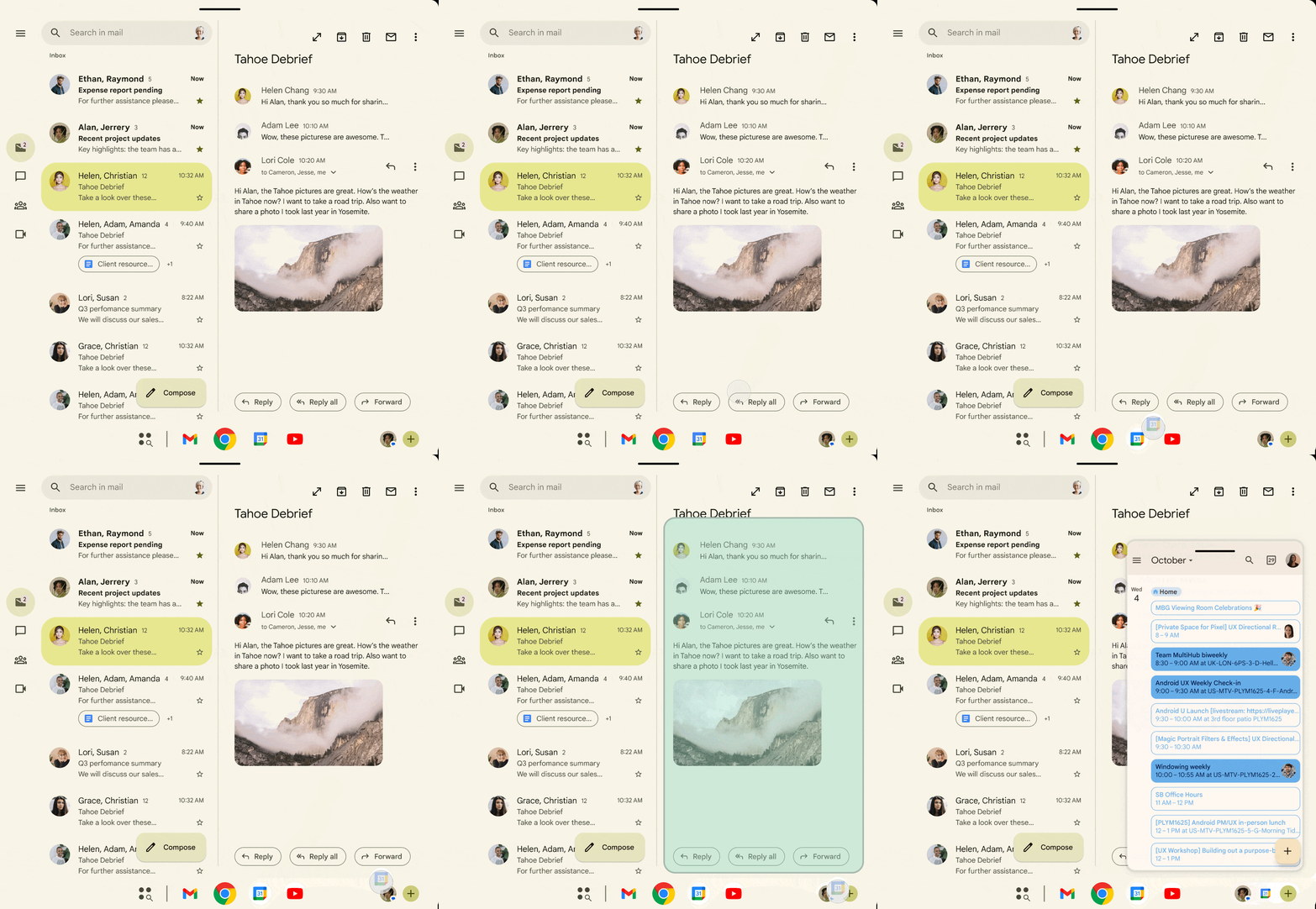
Android 17 introduces “Bubbles” and the “Bubble Bar,” which Android Central identifies as new ways for Pixel and Fold users to multitask between apps. This moves the mobile experience closer to a desktop environment, where users can jump between active tasks without returning to the home screen.
The addition of “Screen reactions” signals a trend toward integrated creator tools. This feature lets users overlay a selfie video on a screen recording, simulating a green screen effect. It eliminates the need for third-party editing software for basic reaction content, integrating a production workflow directly into the OS.
Industry trends suggest that as screens get larger—particularly with the Pixel Fold—Google is moving away from traditional app-switching toward a persistent, floating UI. This reduces the “cognitive load” of navigating complex menu hierarchies.
What does the persistence of charging bugs signal for hardware integration?
Google is struggling to fully eradicate power consumption issues. Android Central notes that slow wireless charging speeds, which were a primary concern in May when users reported slowdowns between 75% and 80% battery, are being addressed again in the June patch.
The fact that the May fix didn’t completely solve the problem suggests a complex interaction between the charging drivers and the Android 17 kernel. The June update specifically targets failed wireless and wired charging drivers that occur during device setup, according to the patch notes.
Comparison: May vs. June Patch Focus
| Issue | May Patch Status | June Patch Status |
|---|---|---|
| Wireless Charging | Partial fix (75-80% lag) | Targeted driver overhaul |
| Pixel 10 Display | Reported artifacts | Flickering dot fix |
| Camera Stability | General bugs | System crash fixes (Pixel 9/10) |
What happens next for Android 17 users?
Users should expect a period of “stability patches” following the major OS shift. Because Android 17 is now live, Google is likely to use the upcoming monthly cycles to refine the “Bubble Bar” and “Screen reactions” based on telemetry data from real-world use.
The transition to vCP2A.260605.012 is rolling out gradually. This means some users will see the fix for unstable audio and app crashes before others. According to the rollout strategy, those on global units will be the first to receive the stability updates.
Frequently Asked Questions
Which Pixel phones get the June security patch?
The update is rolling out for Pixel 6 and all newer models, including the Pixel 9 and 10 series.
What is the specific version number for the June update?
The global units are marked as vCP2A.260605.012.
Does Android 17 include new multitasking features?
Yes, it introduces the “Bubble Bar” and “Bubbles” for easier app switching, particularly on foldables.
Will this fix the “white dot” on my Pixel 10 screen?
Yes, Google’s patch notes specifically list a fix for the “white flickering dot” on the Pixel 10 series.
Do you think the “Bubble Bar” will replace the traditional task switcher, or is it just an optional add-on? Let us know your experience with Android 17 in the comments below, or subscribe to our newsletter for the latest Pixel stability reports.