

New Weather App Features in iOS 27: Highlights, Conditions, and Widgets
What Improvements Are in the iOS 27 Weather App?
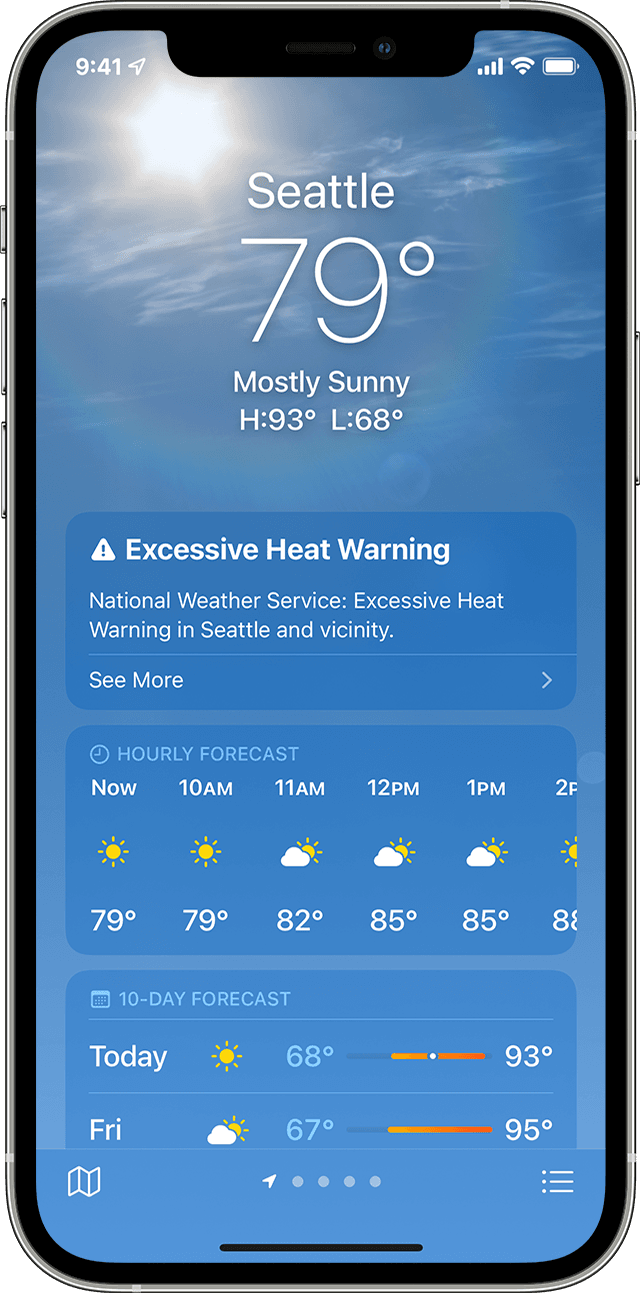
Apple’s iOS 27 introduces a redesigned Weather app with layout improvements but no new AI features, according to sources. The update focuses on enhancing user experience through visual adjustments and functional tweaks, as confirmed by multiple reports.
The Highlights Section: A New Focus on Immediate Weather Data
The Weather app’s top interface now features a Highlights section, offering users critical weather information at a glance. This change, reported by 9to5Mac, allows users to quickly access key details like temperature, wind speed, and precipitation chances without navigating deeper into the app.
Conditions Views: Customizable Weather Insights
The Conditions section now includes toggles for precipitation and wind views. According to Bloomberg, users can switch between hourly temperature displays and detailed breakdowns of rain chances or wind speeds. This flexibility aims to cater to users prioritizing specific weather metrics.
10-Day View: Enhanced Long-Term Forecasting

The 10-day forecast now adapts dynamically when users switch between condition options. For example, toggling to precipitation view shows hourly rain probabilities for the next 10 days, while wind view provides sustained speed data. This adjustment reduces the need for additional taps, as noted by TechCrunch.
How Does the New Widget Size Impact User Experience?
iOS 27 introduces an extra-large Weather app widget size, allowing the app to occupy an entire home screen page. This change, highlighted by The Verge, enables users to monitor weather conditions continuously without opening the app, though it requires careful placement to avoid clutter.
What Other iOS 27 Features Are Expected?
While the Weather app remains focused on layout updates, Apple is reportedly rolling out broader changes. A dedicated Siri app with text and voice interaction, plus a dark color scheme, is anticipated, according to Mark Gurman of Bloomberg. These features aim to integrate Siri more deeply into daily workflows.
Why the Focus on Siri Redesign?
The Siri redesign, linked to iOS 27, includes a new “Search or Ask” function and Dynamic Island integration. Gurman’s reports suggest the update will prioritize AI-driven interactions, though no direct ties to the Weather app have been confirmed.
FAQ
Are there new AI features in iOS 27’s Weather app?
No. Apple has not introduced AI-driven enhancements to the Weather app, according to multiple reports.
How does the 10-day view work with different condition options?
The 10-day view adjusts automatically when users switch between precipitation, wind, or temperature metrics, providing a unified overview without additional steps.
Can the Weather app widget take up an entire home screen?
Yes. The extra-large widget size allows the Weather app to occupy a full home screen page, as confirmed by Apple’s design documentation.
Did You Know?
The Weather app’s layout changes reflect a broader trend in iOS updates to prioritize immediate, actionable data over complex interfaces.
Pro Tips
Experiment with the new widget size to determine if it enhances your daily weather monitoring. Toggle between condition views to find the metric most relevant to your needs.
Explore More
For insights into Apple’s upcoming Siri app, visit our iOS 27 roundup. Stay updated on the latest tech trends by subscribing to our newsletter.