
How to Get the New WhatsApp Liquid Glass Design on iOS
Beyond the Blur: The Evolution of Glassmorphism in Modern UI
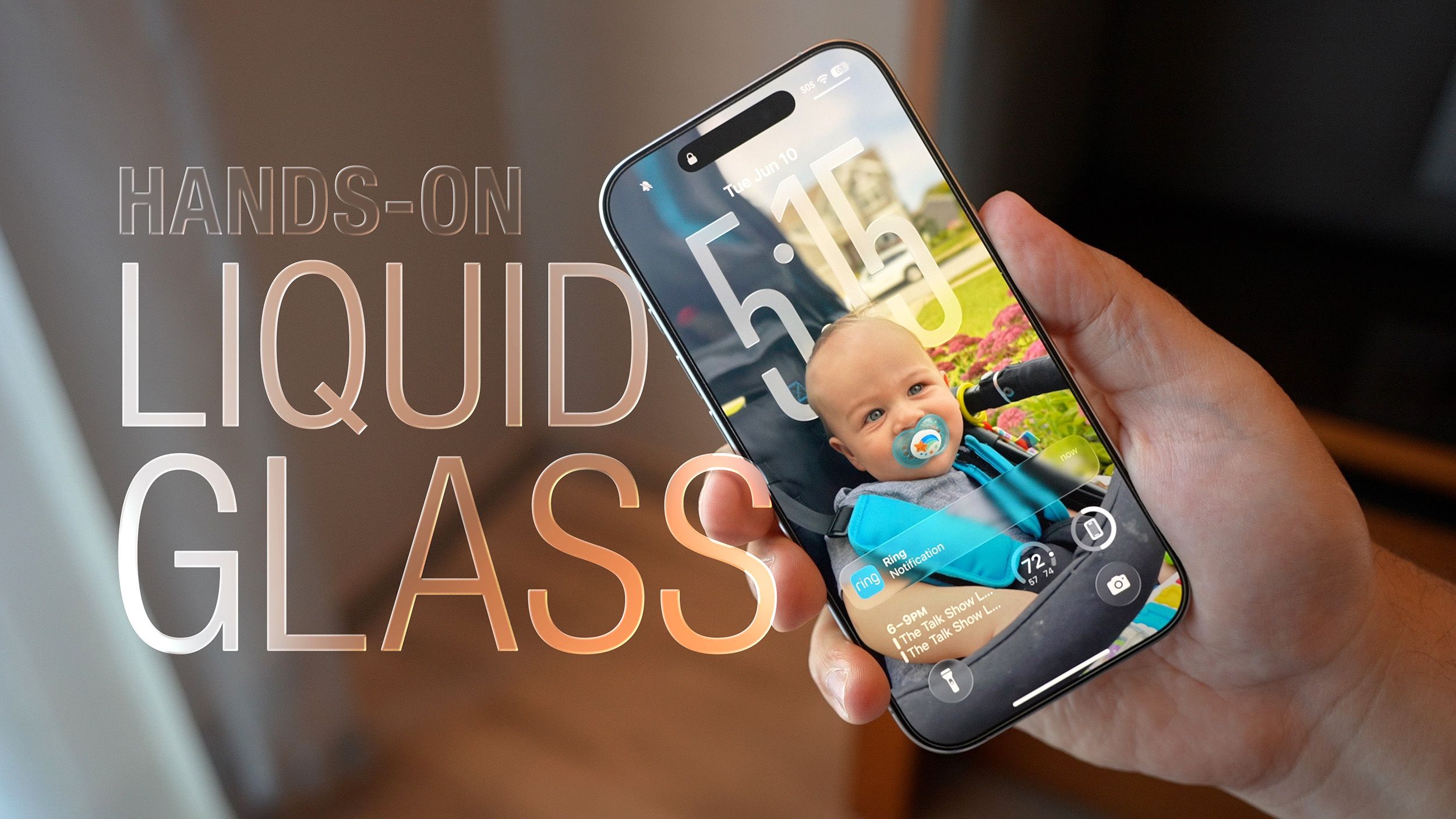
The recent rollout of the “Liquid Glass” aesthetic in WhatsApp isn’t just a fresh coat of paint; it’s a signal of a much larger shift in how we interact with our devices. For years, the industry was obsessed with “Flat Design”—think of the stark, two-dimensional looks of early iOS 7 or Google’s Material Design. But the pendulum is swinging back toward depth, texture, and transparency.

This trend, known in design circles as Glassmorphism, uses background blur and semi-transparency to create a sense of hierarchy. By allowing the colors of the background to bleed through the interface, apps feel less like a series of static pages and more like a layered, physical space. It reduces the cognitive load on the user by maintaining a visual connection to where they “came from” within the app.
The Great Merger: Why Apps Now Mimic the OS
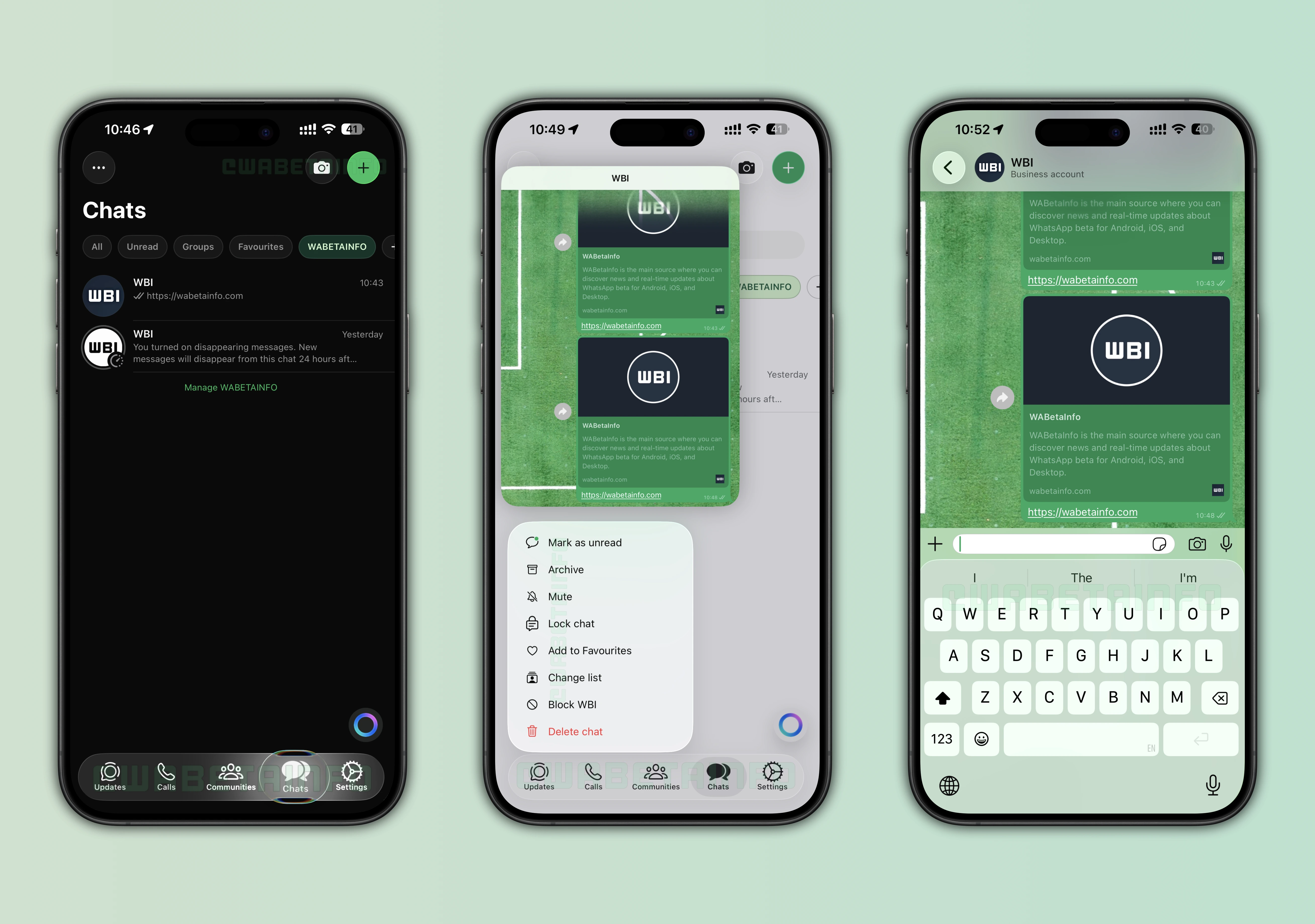
There was a time when apps tried to establish their own unique visual identity, often clashing with the phone’s operating system. Today, we are seeing a trend toward OS Synergy. When WhatsApp integrates deeply with the iOS 26 keyboard and adopts the system’s translucency, it ceases to feel like a third-party tool and starts feeling like a native feature of the iPhone.
This strategy is brilliant for user retention. When an app feels “native,” the friction of use disappears. We see this with Apple’s Human Interface Guidelines, which push developers to adopt system-wide behaviors. The goal is a seamless transition: you move from your home screen to your messages without your brain registering a “jump” in environment.
The Psychology of Visual Depth
Why does a blurred navigation bar feel “better” than a solid one? It comes down to spatial awareness. In the real world, we understand where we are based on layers. By using semi-transparent elements, designers create a “Z-axis” (depth). This tells the user: “The content is in the back, and the navigation is floating on top.”
The Death of the “Update” Button: The Rise of Server-Side Control
One of the most frustrating parts of the Liquid Glass rollout is the “staged rollout”—the fact that your friend has the new look while you’re still staring at a flat grey bar. This marks a fundamental shift in software distribution. We are moving away from version-based updates (v2.24.1) toward server-side feature flagging.
Meta, Google, and Microsoft now use these “switches” to enable features for specific user IDs or geographic regions. This allows them to perform massive A/B tests in real-time. If a new design causes a crash in 1% of users in Italy, they can flip the switch off instantly without forcing millions of people to download a patch from the App Store.
This approach transforms the app into a living organism that evolves silently in the background, rather than a static product that gets a “big update” every few months.
What’s Next? The Future of “Invisible” Interfaces
If we look at where Liquid Glass is heading, the ultimate destination is the Invisible UI. As we move toward augmented reality (AR) and more sophisticated AI integrations, the “app” as a container will likely disappear.
Imagine an interface that doesn’t just blur the background, but disappears entirely until your eyes focus on a specific area of the screen. We are seeing early glimpses of this in visionOS, where the environment is the interface. The “Liquid Glass” we see in WhatsApp today is essentially a training ground for this future, teaching our eyes to interact with translucent, floating layers of information.
Frequently Asked Questions
Q: Why can’t I see the Liquid Glass design yet?
A: Meta uses a staged rollout. This means the update is triggered by your account ID on their servers, not just the app version you downloaded. Patience is the only real solution!
Q: Does Glassmorphism slow down my phone?
A: On modern devices, the impact is negligible. However, on older hardware, the GPU has to work harder to render real-time blurs, which can occasionally lead to a slight increase in battery consumption.
Q: Is this design trend only for iOS?
A: While it’s prominent on iOS, Android’s “Material You” design language is pursuing a similar path of personalization and fluidity, though it focuses more on dynamic colour palettes than transparency.
What do you think? Does the “Liquid Glass” look make WhatsApp feel more modern, or do you prefer the simplicity of the old design? Let us know in the comments below or share this article with a friend who is still waiting for their update!
👉 Subscribe to our Tech Trends Newsletter for more insights.