

How to Transfer Files from Android to Windows Using Quick Share
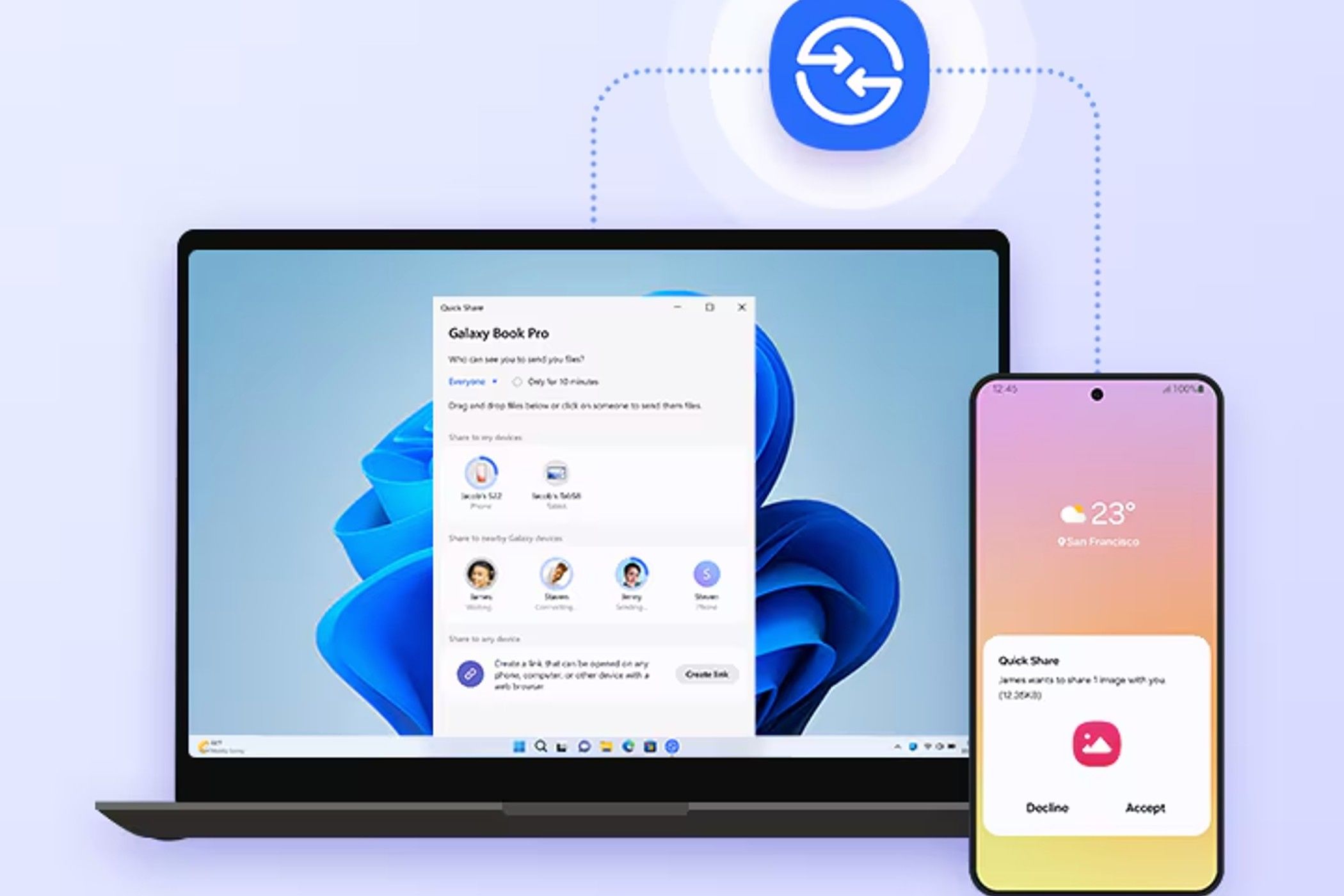
Quick Share, the unified wireless file-sharing standard from Google and Samsung, allows Android users to transfer files to Windows PCs without cables or cloud services. By merging Google’s Nearby Share and Samsung’s original Quick Share, the ecosystem now provides a seamless, high-speed local connection for photos, videos, and documents across diverse Android hardware.
We’ve all been there—hunting for a USB-C cable that actually works or emailing a photo to ourselves just to get it onto a laptop. For years, Android users dealt with a fragmented mess. Samsung had its own way; Google had another. Now, they’ve finally shaken hands. According to reports from Harian Jogja, this integration creates a single, streamlined standard for the entire Android ecosystem, including Chromebooks and Windows 10/11 PCs.
Why does the merger of Google and Samsung’s sharing tools matter?
The merger eliminates the “brand wall.” Previously, if you switched from a Samsung to a Pixel or a Xiaomi, your method of moving files changed. By consolidating Nearby Share and Quick Share, Google and Samsung have created a universal language for Android devices.

This matters because it directly challenges the “walled garden” approach of Apple’s AirDrop. When file sharing is frictionless, users are less likely to feel locked into a single brand’s hardware. It turns a fragmented group of manufacturers into a cohesive ecosystem. According to the technical specifications, this happens via local connections, meaning your files don’t have to travel to a cloud server and back, which keeps your data private and the speed high.
For more on optimizing your device, check out our guide on Android productivity tips.
Will Quick Share eventually support ARM-based Windows laptops?
Currently, Quick Share has a significant blind spot: it doesn’t support Windows ARM processors. It requires an x64 processor to run. This is a hurdle as the industry shifts toward ARM for better battery life, such as with the new Snapdragon X Elite laptops.
Expect a patch for this soon. As Google and Microsoft deepen their partnership, bridging this gap is a logical next step. Once ARM support arrives, we’ll see a massive spike in adoption among students and digital nomads who rely on ultra-portable, ARM-based Windows tablets and laptops.
How will AI change the way we move files between devices?
The next evolution isn’t just about how we move files, but which files we move. We’re moving toward “Contextual Sharing.” Imagine your computer knowing you’re working on a presentation and automatically suggesting a photo you just took on your phone that relates to the topic.
Integrating Gemini (Google’s AI) could allow Quick Share to categorize files during the transfer. Instead of a dump of 50 images into a “Downloads” folder, AI could automatically sort them into project folders based on the image content. This moves the technology from a simple “transport pipe” to an intelligent workflow tool.
Can Quick Share compete with Apple’s AirDrop ecosystem?
In terms of raw utility, yes. In terms of “magic,” it’s getting closer. AirDrop’s success isn’t just about the tech; it’s about the deep integration into macOS and iOS. Quick Share is catching up by expanding to Windows and Chromebooks.

The real competition will be in “Cross-Platform” openness. While Apple remains closed, Google is positioning Quick Share as the open alternative. If they can maintain stability across a thousand different Android device models—something Apple doesn’t have to worry about—they win on versatility.
| Feature | Old Fragmented Way | New Quick Share Way |
|---|---|---|
| Compatibility | Brand-specific (Samsung to Samsung) | Universal Android to Windows/Chrome |
| Hardware | Often required USB cables | Fully wireless/local |
| Cloud Reliance | High (Google Drive/Dropbox) | Low (Peer-to-peer) |
Frequently Asked Questions
Does Quick Share require an internet connection?
No. It uses local wireless connections (Bluetooth and Wi-Fi Direct), so you can transfer files even without an active data plan, provided the devices are near each other.
Is Quick Share safe for private documents?
Yes. Because it transfers files directly between devices rather than uploading them to a cloud server, your data is less exposed to third-party interceptions.
Why can’t I find Quick Share in the Microsoft Store for my Pixel phone?
The Microsoft Store version is currently optimized for Samsung Galaxy devices. For all other Android brands, you must download the official client from Google’s Android website.
Can I send files to multiple devices at once?
Yes, one of the updated features of the integrated Quick Share is the ability to select and send files to multiple nearby devices simultaneously.
What’s your biggest frustration when moving files between your phone and computer? Let us know in the comments below, or subscribe to our newsletter for more tech deep-dives!