

Microsoft Releases New Defender Security Updates for Windows Installation Images
Microsoft is closing the “protection gap” in Windows installations by embedding updated security intelligence directly into OS images (WIM, VHD, and ISO). This move prevents malware, including ransomware and trojans, from exploiting systems during the critical window between a fresh installation and the first official Windows Update.
Why does a “protection gap” exist during Windows installation?
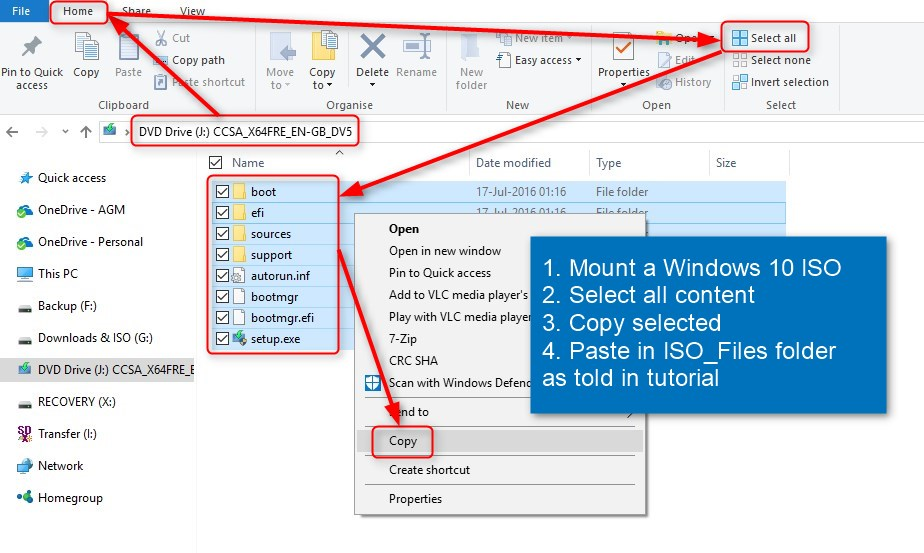
When you install Windows from an ISO or a WIM file, you aren’t installing a live, breathing system. You’re installing a snapshot of the OS from the day that image was created. According to reports from Neowin, these images can hold outdated anti-malware definitions and software binaries.
This creates a dangerous vulnerability window. A system is most exposed the moment it first hits the network but before the Microsoft Defender engine can successfully reach the cloud to download the latest signatures. For an attacker, this is the perfect time to strike with “stealers” or backdoor exploits.
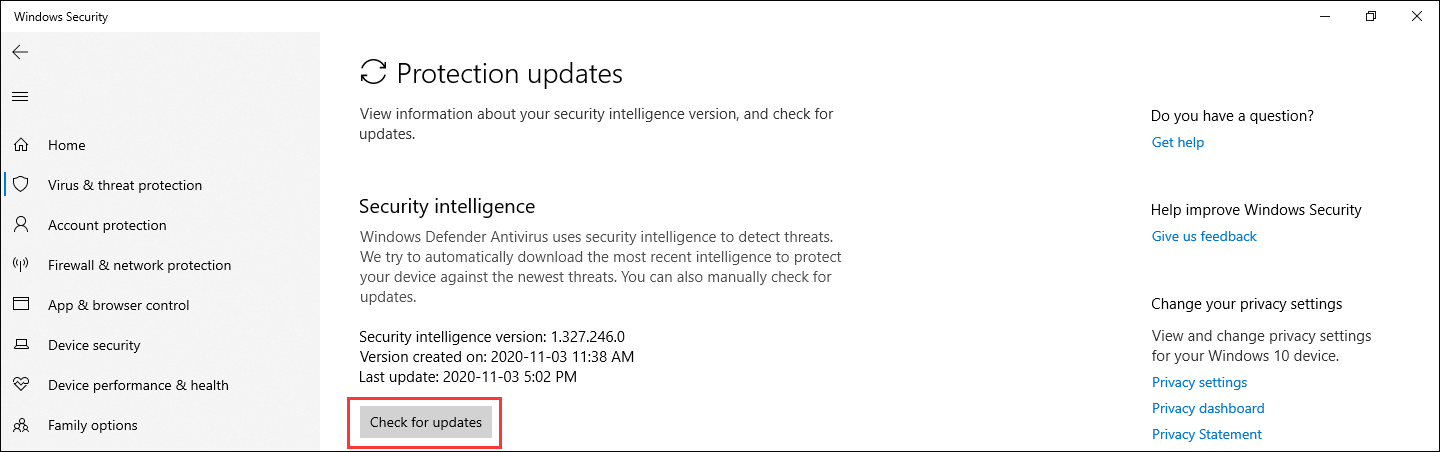
Microsoft addresses this by periodically pushing updates to the images themselves. The latest security intelligence update, version 1.447.236.0, specifically targets threats like AutoKMS and various ransomware strains to ensure the OS is “born” with a baseline of modern defense.
Will we see “Real-Time” installation images in the future?
Currently, Microsoft updates these images roughly every three months. However, the industry is moving toward a more dynamic model. We are likely heading toward “Just-in-Time” (JIT) image provisioning.
Instead of a static ISO, future deployment tools could fetch a “security shim”—a tiny, current slice of the latest Defender definitions—at the very start of the boot process. This would effectively eliminate the three-month window of vulnerability entirely.
This shift is already visible in how cloud providers handle Virtual Hard Disks (VHDs). By integrating security updates into the base image at the hypervisor level, the “gap” is narrowed from months to hours.
How is AI changing the way Defender protects fresh installs?
The reliance on “version numbers” (like 1.447.236.0) suggests a signature-based approach—matching a file’s hash against a known list of bad actors. The future of installation security lies in behavioral heuristics and lightweight AI models embedded in the boot image.
Rather than waiting for a list of known trojans, future Windows images will likely include a compressed machine-learning model. This model can identify “malicious-looking” behavior—such as an unknown process attempting to encrypt the master boot record—even if that specific piece of malware has never been seen before.
This moves the defense from reactive (updating a list) to predictive (analyzing intent). For users on Windows 11 and Windows Server 2022, this means the OS can defend itself before it even has a stable internet connection.
What does this mean for legacy systems and Windows Server?
Microsoft’s latest updates aren’t just for the latest consumer builds. They extend back to Windows Server 2016 and Windows 10 Enterprise LTSC 2019. This highlights a critical reality: legacy systems are often the primary targets for ransomware because they are frequently deployed using old, archived images.
The trend here is “Immutable Infrastructure.” In modern data centers, servers aren’t patched; they are replaced. An old server is deleted, and a new one is spun up from a fresh, updated image. By updating the WIM and VHD files, Microsoft is supporting this “burn-and-rebuild” philosophy, ensuring that the new instance is secure from second one.
| Feature | Traditional ISO Setup | Future-State Deployment |
|---|---|---|
| Update Cycle | Quarterly/Periodic | Continuous/Just-in-Time |
| Detection Method | Signature-based lists | On-device AI Heuristics |
| Risk Window | High (until first update) | Near-Zero |
Frequently Asked Questions
What is a WIM or VHD file?
A WIM (Windows Imaging Format) is a file-based disk image used for deploying Windows. A VHD (Virtual Hard Disk) is a file that encapsulates a hard disk drive for use in virtual machines.
Do I need to manually update my Windows ISO?
Generally, no. If you use the official Microsoft download tools, you will automatically receive the latest version of the image containing these updates.
Can an outdated ISO actually lead to a virus?
The ISO itself isn’t the virus, but an outdated Defender engine within the ISO means the system cannot recognize new threats. If you install Windows and immediately run a malicious script before updating, the system may not stop it.
Is your deployment strategy secure?
Whether you’re managing a home lab or a corporate fleet, the way you image your machines matters. Do you rely on old ISO archives, or do you refresh your media regularly? Let us know your strategy in the comments below or subscribe to our newsletter for more deep dives into Windows security.