

Roku Unveils Biggest Home Screen Redesign in Over a Decade
The Evolution of the Living Room Interface
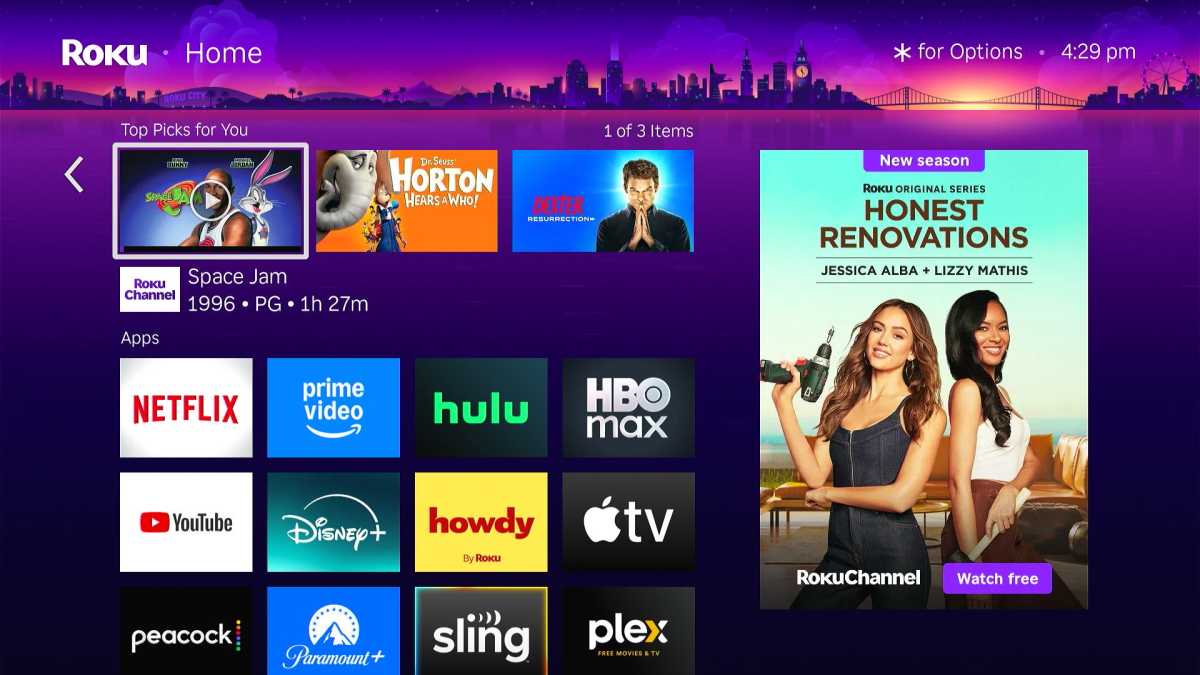
For over a decade, the “grid of apps” has been the gold standard for smart TV interfaces. But as the number of streaming services explodes, that static model is breaking. Roku’s latest redesign is the latest signal that the industry is pivoting toward content-first discovery rather than app-first navigation.
We are entering the era of the “curated living room.” Instead of users hunting through Netflix, Hulu, or Disney+ to find something to watch, the operating system is now expected to act as a personal concierge. This shift is driven by the sheer exhaustion of “choice paralysis”—a phenomenon where too many options lead to zero decisions.
Intelligence is the New Standard
The core of this design shift lies in predictive computing. By analysing user habits—what you watch, when you watch it, and how often you abandon a show—platforms are becoming smarter at surfacing content before you even know you want it.
This isn’t just about convenience; it’s about retention. Streaming platforms know that if a user spends more than three minutes scrolling without hitting “play,” they are significantly more likely to turn off the TV entirely. By integrating “Top Picks” and “Daily Scoop” features, companies like Roku are effectively reducing the friction between the user and the content.
The Future of Streaming Personalization
Looking ahead, we can expect the line between the OS and the app to blur even further. Future updates will likely move beyond simple genre-based tiles toward:
- Context-Aware Recommendations: TVs that adjust their home screens based on the time of day or even the people currently in the room.
- Cross-Platform Universal Search: A truly seamless experience where you can search for a specific actor and see results from every service you subscribe to, without needing to open individual apps.
- Interactive Environments: Much like the “Roku City” tile, expect to see more gamified or immersive elements that turn a standard navigation menu into a digital space users actually enjoy visiting.
Frequently Asked Questions
Q: Why does my home screen look different than it did yesterday?
A: Streaming providers frequently push “server-side” updates. This allows them to roll out new features to millions of devices simultaneously without requiring you to download a manual firmware update.
Q: Will these new interfaces make my TV run slower?
A: While more complex interfaces require more processing power, modern streaming hardware is designed to cache these dynamic assets efficiently to ensure navigation remains snappy.
Q: How can I influence what shows up in my “Top Picks”?
A: Most platforms use your viewing history. If you finish shows you like and remove ones you don’t from your “Continue Watching” list, you help the algorithm provide more accurate suggestions.
What’s Next for Your Home Screen?
As we move further into the decade, the fight for the “living room real estate” will intensify. Platforms that respect the user’s time by offering the fastest path to entertainment will ultimately win the market.
What do you think is the biggest pain point in your current streaming experience? Is it the search function, the recommendation quality, or something else entirely? Share your thoughts in the comments below and join the conversation on the future of digital entertainment.
Looking for more insights on the latest tech trends? Subscribe to our newsletter for weekly updates, expert reviews, and in-depth analysis of the hardware powering your home.