
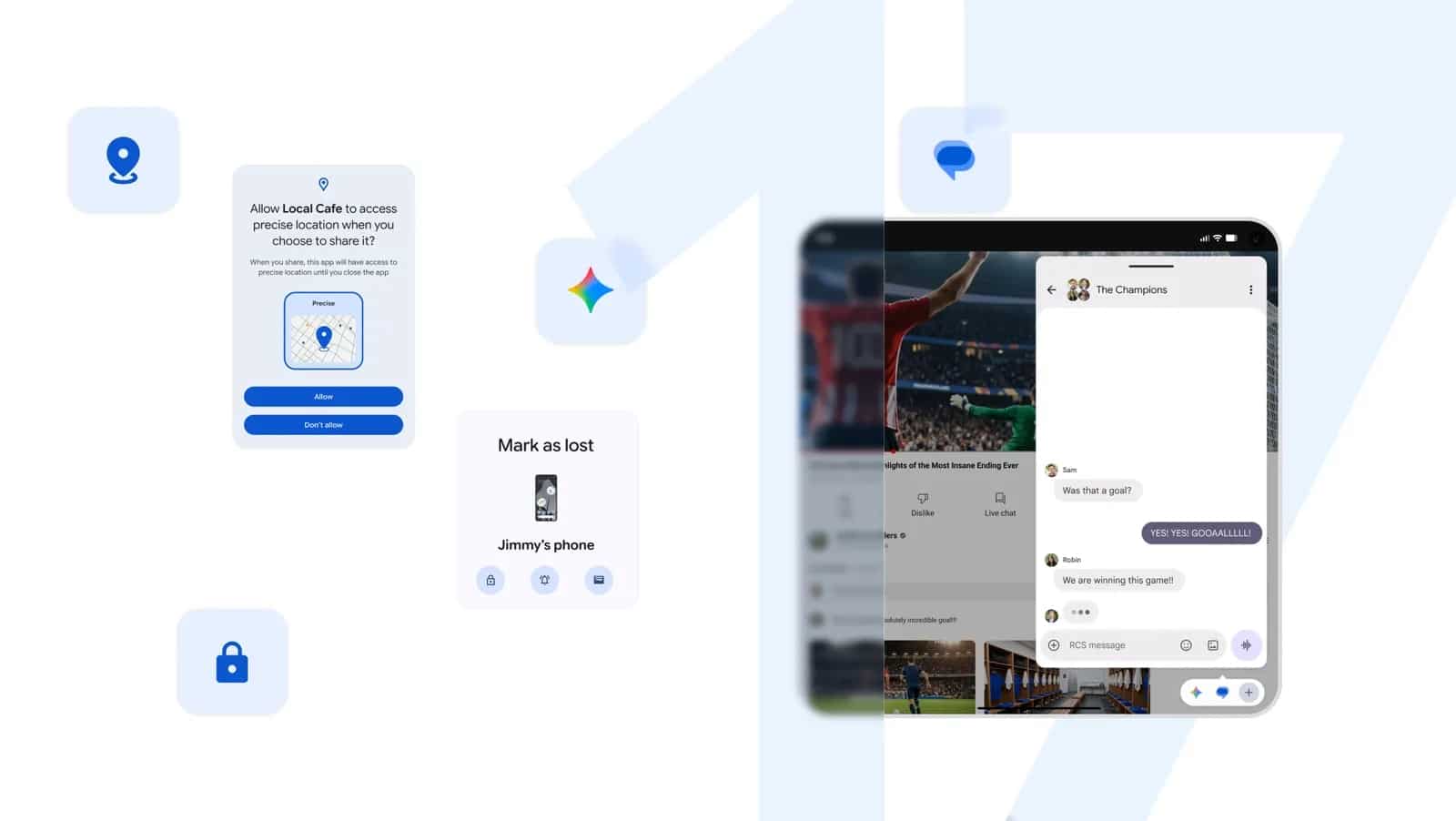
Android 17 Released: New Features, Gaming Upgrades, and Enhanced Security
Google has officially initiated the rollout of Android 17 for compatible Pixel devices, introducing significant upgrades to multitasking, gaming performance, and biometric security. While the initial release focuses on Google’s proprietary hardware, the company confirmed that the update will reach a broader range of Android devices throughout 2026. This version emphasizes productivity through floating window management and provides enhanced protections against device theft.
How does Android 17 improve multitasking?
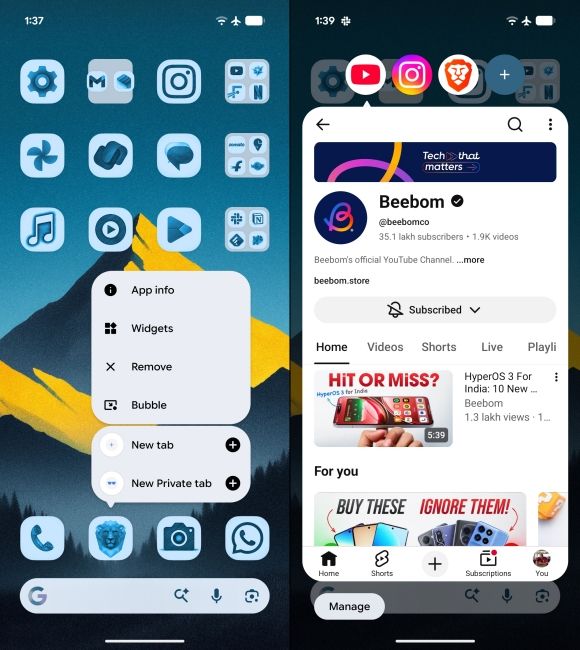
The core of the new multitasking suite is the “Bubbles” feature, which allows users to convert any application into a compact, floating window. According to Google, users can pin these windows over other active apps by long-pressing an application icon. For users on tablets and foldable devices, the system automatically groups these windows into a dedicated taskbar. This design shift aims to reduce context switching, allowing users to reference maps, notes, or tutorials without exiting their primary workflow.
What are the new screen recording capabilities?
Android 17 streamlines content creation through a redesigned capture interface and the introduction of “Screen Reactions.” This tool enables simultaneous recording of the mobile screen and the front-facing camera. By integrating these inputs natively, Google eliminates the need for third-party video editing software when creating tutorials or reaction content. This update mirrors trends seen in desktop streaming software, bringing professional-grade commentary tools directly to mobile hardware.
How does the update change mobile gaming?
Google has introduced a dedicated gaming mode specifically for foldable devices, which splits the screen into a 50/50 layout. The upper half displays the gameplay, while the lower half provides a dynamic controller interface. Beyond the interface, the update includes improved memory management designed to reduce frame drops in high-demand titles. Additionally, Android 17 adds native support for remapping external controllers, addressing a common request from the mobile gaming community.

What new security measures protect against theft?
Security enhancements in Android 17 focus on both data privacy and physical device recovery. The “Find Hub” feature now includes an upgraded “Mark as lost” function that requires biometric authentication to unlock the device, even if the user’s PIN is known by an unauthorized party. Google has also implemented stricter limits on failed PIN attempts, increasing the mandatory wait time between incorrect entries to deter brute-force attacks. Users can now also grant apps temporary access to precise location data rather than permanent permissions, and limit contact sharing to specific individuals instead of the entire directory.
Frequently Asked Questions
- When will my non-Pixel device receive Android 17?
Google has stated that the rollout for other Android devices is scheduled to occur throughout 2026. - Can I use Screen Reactions on any app?
Yes, Screen Reactions is a system-level feature integrated into the Android 17 recording flow, compatible with most applications. - What happens if someone steals my phone?
The enhanced “Mark as lost” feature in Find Hub now mandates biometric verification to bypass the lock screen, even if the thief has recovered your PIN.
Are you planning to upgrade your device for these new features, or are you waiting for the wider 2026 rollout? Share your thoughts in the comments section below or subscribe to our newsletter for the latest mobile tech updates.