

Android 17 Released: Top New Features and Pixel Compatibility
Google released Android 17 this Tuesday for all compatible Pixel devices from the Pixel 6 series onward. According to an official company announcement, the update introduces advanced multitasking “Bubbles,” enhanced “Live Threat Detection” to block fraud, and strict per-app memory limits designed to improve battery autonomy.
How does Android 17 improve multitasking?
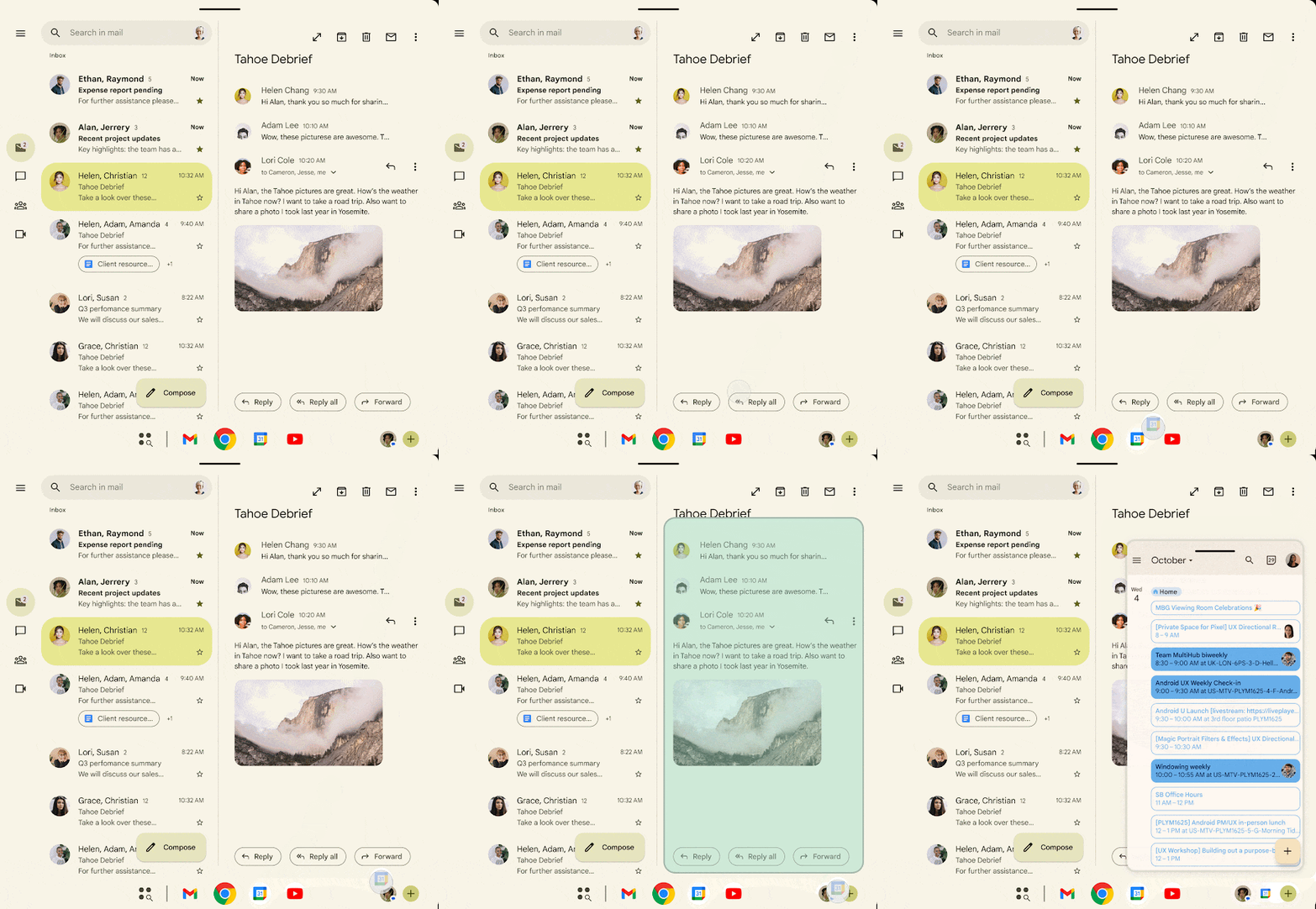
Google introduced “Bubbles,” a feature allowing applications to float over the screen for faster task switching. Users can minimize or expand these apps with a few taps. While this is a new official feature for Android 17, the company’s announcement notes that Samsung provided a similar experience with floating apps in One UI 1.0 back in 2018.
The update also adds a 90:10 split-screen mode for general multitasking. For Pixel foldable users, Google added a 50/50 gaming mode. This allows the top half of the screen to display the game while the bottom half transforms into a tactile control pad.
What new privacy controls are available?
Users can now choose between sharing a precise or approximate location with specific apps, according to Google. The system also allows for “one-time” permissions, meaning an app only has access for a single session.

Privacy management now extends to contacts. Google detailed a new control that lets users select exactly which specific contacts an application can access. To make tracking easier, privacy indicators for the camera, microphone, and location now appear inside small visual containers.
How does Google address device security and fraud?
The “Live Threat Detection” tool has been expanded. Google states the tool now identifies and blocks a wider range of suspicious applications and potential scams in real-time.
Device theft protections are also stricter. Android 17 limits the number of PIN entry attempts and increases the wait time after consecutive errors. Additionally, Google integrated a requirement for biometric data when a user marks a device as lost via Find Hub.
Why does Android 17 limit app memory?
Google implemented new per-application memory limitations. The company claims this prevents individual apps from consuming excessive RAM, which directly contributes to better overall battery life.
This move aligns with a broader trend toward “resource hygiene.” By capping RAM usage, the system reduces the frequency of background process kills and minimizes power drain from memory-heavy apps.
What are the new parental and wellbeing tools?
The update simplifies parental controls with flexible per-app time limits and supervised, tiered access to YouTube. Google also expanded these controls to include integrated management for Google TV and Chromebooks.
For individual users, the “Pause Point” feature was added to Digital Wellbeing. This tool triggers warnings when a user opens applications categorized as addictive, encouraging more mindful screen time.
What else changed in the interface and connectivity?
Google redesigned the Quick Settings buttons and updated the screen recorder. The recorder now includes “On-screen Reactions,” allowing users to insert a selfie image into the video via a pill-shaped floating interface.
Connectivity updates include faster file detection and transfers for iOS devices. Google also introduced a “continuity” function, allowing users to move active tasks from a phone to other nearby compatible devices.
Other visual updates include translucent effects inspired by Material 3 Expressive, fluid transition animations, and the ability to force a dark theme on a per-app basis.
Android 17 Feature Summary
| Category | Key Feature | Primary Benefit |
|---|---|---|
| Multitasking | Bubbles & Split Screen | Faster task switching |
| Security | Live Threat Detection | Fraud and scam blocking |
| Battery | RAM Limitations | Increased autonomy |
| Privacy | Granular Permissions | Precise data control |
Frequently Asked Questions
Which devices can update to Android 17?
The update is available for Pixel devices starting from the Pixel 6 series and newer.
What is the “Pause Point” feature?
It is a Digital Wellbeing tool that shows warnings when opening apps identified as addictive.
Does Android 17 improve battery life?
Yes, according to Google, the new per-app memory limits prevent RAM overuse, which helps extend battery longevity.
Can I transfer files to iPhone faster now?
Yes, Google has accelerated the detection and transfer of files between Android 17 and iOS devices.
What do you think about the new multitasking Bubbles? Do they actually improve your workflow or just clutter the screen? Let us know in the comments or subscribe to our newsletter for more Android deep dives.