

How to use macOS Background Replacement with OBS
Virtual background technology is shifting from color-based chroma keying to AI-driven subject isolation. macOS Sequoia’s Background Replacement demonstrates this trend by allowing users to replace environments without physical green screens, a capability that now integrates with software like OBS to simulate professional studio effects.
Why is AI background removal replacing the traditional green screen?
Traditional chroma keying requires a specific color—usually bright green or blue—and precise lighting to prevent shadows. According to the technical requirements of OBS (Open Broadcaster Software), these shadows often create “noise” that makes a clean cut impossible without a professional studio setup.
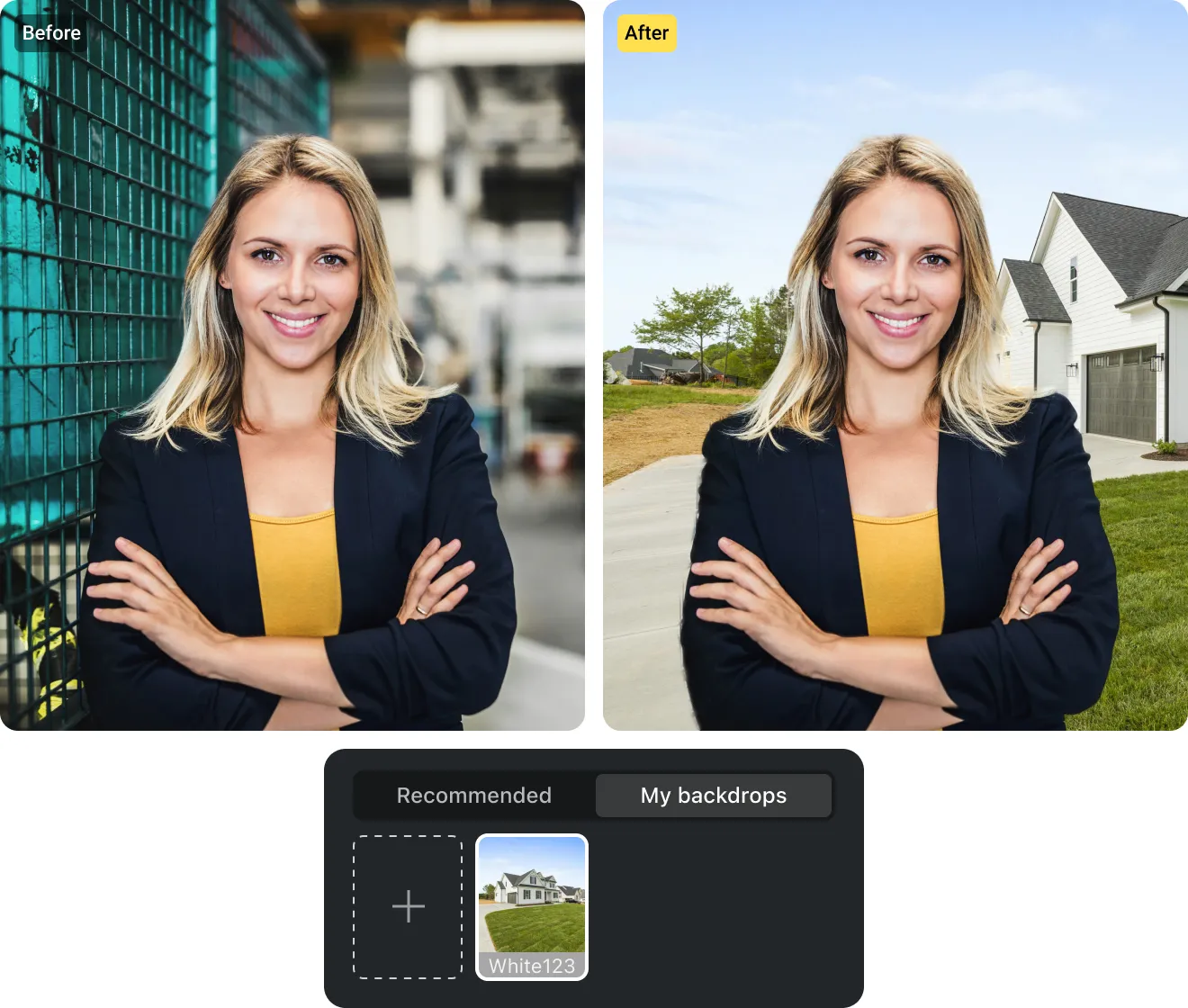
AI-driven replacement, like the system found in macOS Sequoia, uses computer vision to detect the human subject rather than a color. This removes the need for physical hardware. It’s a shift from “color subtraction” to “subject detection.”
The “fake green screen” method—using macOS to generate a green background and OBS to key it out—bridges the gap. It allows users to leverage Apple’s hardware-accelerated subject isolation while maintaining the granular control of OBS filters. This hybrid approach solves the physical space problem that plagues most home streamers.
How will LiDAR and depth sensing improve virtual production?
Current software-only solutions often struggle with “edge bleed,” where hair or moving hands momentarily disappear. The next phase of this technology relies on hardware-level depth mapping. Apple has already integrated LiDAR (Light Detection and Ranging) into iPad Pro and iPhone Pro models to create precise 3D maps of a room.
When depth data replaces simple 2D image analysis, the “cutout” becomes a 3D mask. This means the software knows exactly how many inches the subject is from the wall. According to industry trends in virtual production, this eliminates the “pop-in” effect seen in standard Zoom or FaceTime calls.
Future iterations of macOS and Windows will likely standardize this depth-aware masking. This allows for realistic “occlusion,” where a virtual object can pass behind the speaker’s arm rather than just sitting on top of the video feed.
What happens when generative AI creates real-time backgrounds?
We’re moving past static images of beaches or offices. The integration of Large Language Models (LLMs) and image generators like Midjourney or Stable Diffusion suggests a future of “dynamic environments.”

Instead of selecting a JPEG, streamers will likely describe their environment in real-time. A gamer could say, “Change my background to a cyberpunk city with raining neon lights,” and the AI will generate a looping, 3D-consistent environment that reacts to the lighting on the user’s face.
This creates a feedback loop. The AI doesn’t just replace the background; it analyzes the light hitting the user’s skin and adjusts the virtual environment’s light sources to match. This removes the “floating head” look that currently plagues most virtual backgrounds.
Comparison: Traditional Chroma Key vs. AI Background Replacement
| Feature | Traditional Chroma Key | AI Replacement (macOS/OBS) |
|---|---|---|
| Hardware Needs | Physical screen & lighting | Standard Webcam/NPU |
| Edge Quality | Sharp (if lit correctly) | Soft/Variable |
| Setup Time | High (Physical install) | Instant (Software toggle) |
Will virtual cameras become the industry standard?
The trend toward “virtual cameras”—where software like OBS acts as the hardware source for Zoom or Teams—is accelerating. This allows users to apply complex filters, overlays, and the macOS background hack before the video ever reaches the meeting app.
As NPUs (Neural Processing Units) become standard in consumer laptops, the latency associated with these filters will vanish. We’re seeing a move toward a “production stack” where the webcam is merely a raw data feed, and the final image is entirely constructed in software.
For more on optimizing your streaming setup, check out our guide on streaming optimization or visit the official OBS project site for the latest plugin updates.
Frequently Asked Questions
Can I use this method on Windows?
While the specific macOS Background Replacement tool is Apple-exclusive, Windows users can achieve similar results using NVIDIA Broadcast, which uses AI tensors to remove backgrounds without a green screen.
Does the “fake green screen” hack lag the computer?
It uses more resources than a physical screen because the Mac’s Neural Engine and OBS’s filters are running simultaneously. However, on M-series chips, the impact is usually negligible.
Which is better: Blur or Replacement?
Blur is better for professional corporate calls where you want to hide clutter without looking artificial. Replacement is better for creative content, gaming, and branding.
Ready to upgrade your stream?
Tell us in the comments: Do you prefer the precision of a physical green screen or the convenience of AI? Subscribe to our newsletter for more deep dives into the future of virtual production.